How to paraphrase in Google Docs
Three ways to reword text without leaving your document, from a one-click add-on to doing it properly by hand.
Google Docs doesn't have a paraphrasing tool on free accounts. Gemini can rephrase text, but only on paid plans. The good news is that you have options either way, and you don't need to copy text into another website.
Option 1: Use WriteMate's Rewrite tool (free)
WriteMate is an AI writing add-on for Google Docs. Its Rewrite tool rewords the text you highlight and puts the new version straight into your document.
- Install WriteMate from the Google Workspace Marketplace and allow the permissions it asks for.
- In your document, open Extensions and choose WriteMate to show the sidebar.
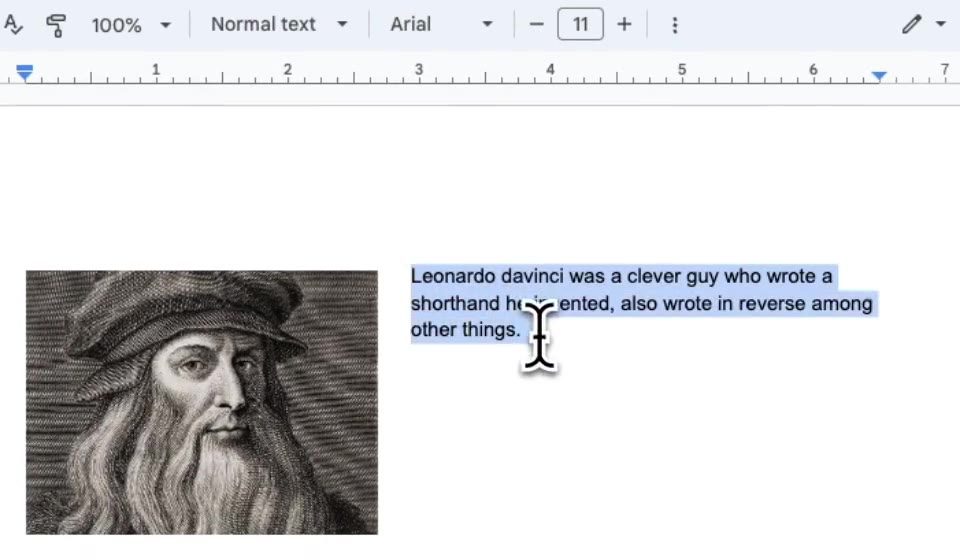
- Highlight the sentence or paragraph you want to paraphrase.
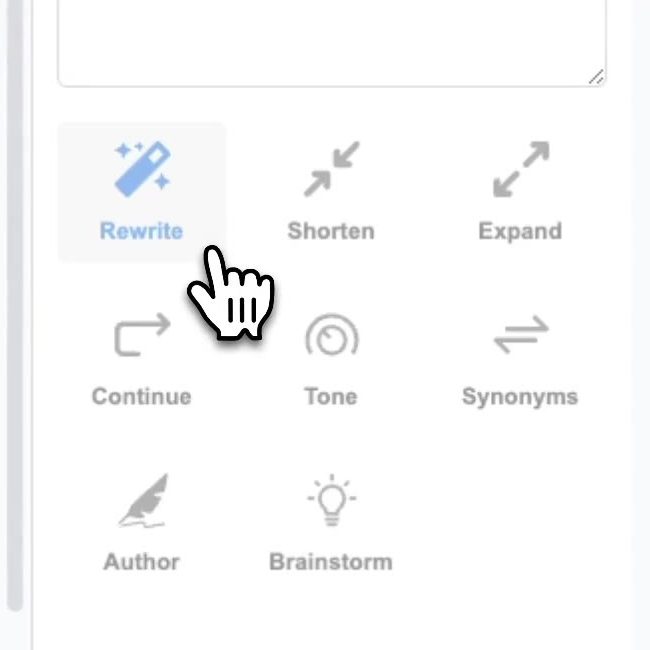
- Click Rewrite in the sidebar.
Here's the before and after from that example:
Before
Leonardo davinci was a clever guy who wrote a shorthand he invented, also wrote in reverse among other things.
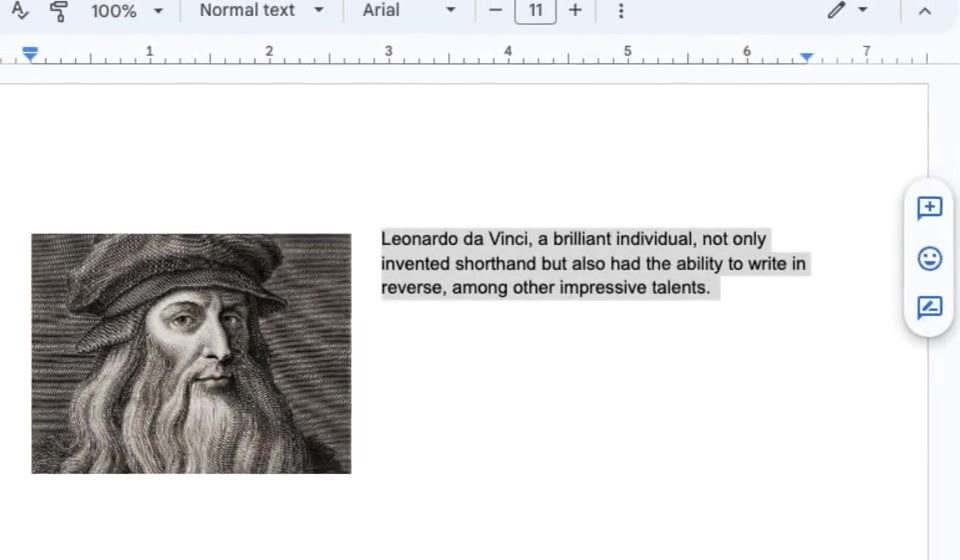
After
Leonardo da Vinci, a brilliant individual, not only invented shorthand but also had the ability to write in reverse, among other impressive talents.
Not quite right? Press Ctrl + Z (⌘ + Z on a Mac) to undo and try again. You can also try Shorten for a tighter version, or Synonyms when you only want to swap a single word.
The free plan includes 10 credits a day. Premium is $9 a month for unlimited use.
Option 2: Use Gemini's Rephrase option (paid plans)
If your account includes Gemini in Docs, select the text, click Refine on the bar that appears, then choose Rephrase. Gemini in Docs needs Google AI Pro, Google AI Ultra or an eligible Workspace plan. Our Gemini vs WriteMate guide explains who has access.
Option 3: Paraphrase by hand
Doing it yourself takes longer, but it's the best way to make sure you understand the idea. This method works well:
- Read the passage until you understand it, then look away from it.
- Write the idea from memory, in your own words.
- Change the structure as well as the words. Split a long sentence, start from a different point, or switch between active and passive voice.
- Compare your version with the original. Check that the meaning is the same and that you haven't kept any distinctive phrases.
- Check the meaning of any unfamiliar word with Tools then Dictionary (Ctrl + Shift + Y).
Original
The committee postponed the decision because the budget figures were incomplete.
Paraphrased
Without a complete set of budget figures, the committee chose to delay its decision.
Paraphrasing and plagiarism
Paraphrasing changes the words, not who the idea belongs to. If you're rewording someone else's work for an essay, report or article, still cite the source. If you're a student, check your school's rules on using AI tools before you rely on one.
Tips for better results
- Work on a sentence or a paragraph at a time rather than a whole document.
- Read the new version aloud. If it doesn't sound like you, adjust it.
- Changed your mind later? Open File, then Version history, then See version history to get back an earlier version.