An AI writing assistant that lives in Google Docs
Highlight any text to rewrite it, shorten it or change its tone. Or describe what you need and get a first draft in seconds, right in your document.
4.4 on Google Workspace Marketplace95,000+ installs
Help at every stage of a draft
From a blank page to the final polish, without leaving your document.
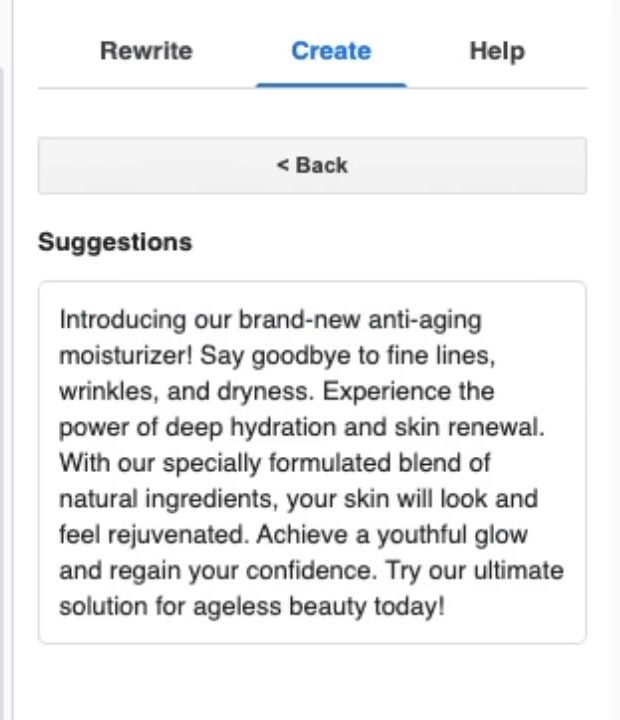
Start from a single line
Tell WriteMate what you're writing, like a marketing blurb, a cover letter or a blog post. Add the main points and a tone, and get a first draft to shape. No more staring at a blank page.
Say it the way you mean it
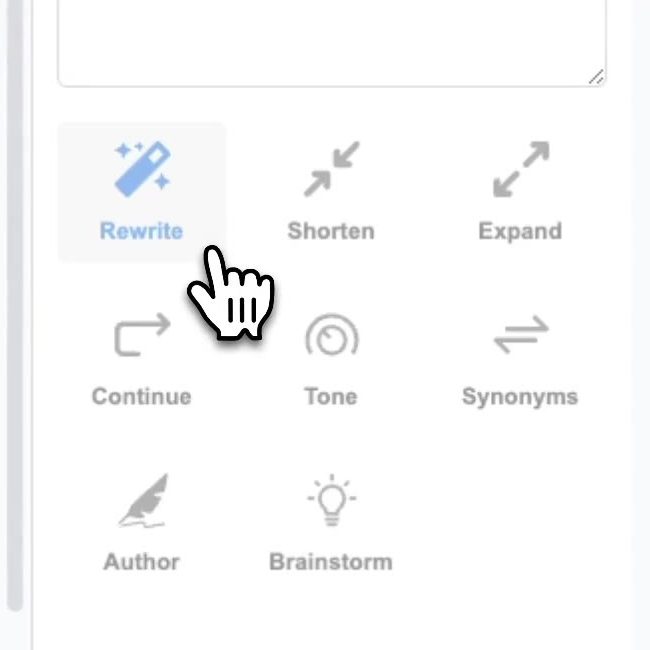
Highlight a sentence or a whole paragraph, then choose Rewrite, Shorten, Expand or Tone. WriteMate suggests a better version you can drop straight into your doc.
Unstick your ideas
Highlight a topic and choose Brainstorm. WriteMate suggests a few directions, then turns the one you pick into a full piece.
Every tool in one sidebar
Each one works on whatever text you highlight.
- Draft
- Say what you're writing and get a first draft in seconds.
- Rewrite
- Paraphrase any sentence or paragraph into a cleaner version, with spelling and grammar fixed.
- Shorten
- Cut the padding and keep the point.
- Expand
- Turn rough notes into a full paragraph.
- Continue
- Stuck mid-thought? WriteMate picks up where you left off.
- Change tone
- Switch between professional, casual and friendly without starting over.
- Synonyms
- Find a better word without leaving the page.
- Brainstorm
- Get a handful of directions for a piece, then expand the one you like.
- Translate
- Turn a selection into another language.
Set up in under a minute
- Install WriteMate from the Google Workspace Marketplace.
- In any document, open Extensions, then WriteMate.
- Highlight some text and pick a tool, or describe what you want to write.
Works with any Google account
No Workspace upgrade or AI subscription needed. If you can open Google Docs, you can use WriteMate.
Your writing stays yours
The text you send isn't stored, shared or used to train AI. We keep only your email address, to track your credits.
Loved by people who write every day
Reviews from the Google Workspace Marketplace.
“I like changing the tone from professional to casual or just friendly. It makes writing so much simpler.”
“Very effective in shortening words and reducing repetitive phrases, making sentences more coherent.”
“WriteMate is extremely helpful when I find myself needing a writing partner.”
Free to start. $9 when you want more.
Upgrade from inside the add-on whenever you're ready.
Premium
- Unlimited use
- Cancel anytime
- Not happy? We refund your last month
Guides for writing in Google Docs
Step-by-step help, with and without AI.
 Gemini in Google Docs vs WriteMate: which do you need?Who can use Gemini in Docs, what it costs, and how it compares with an add-on that works on any Google account.
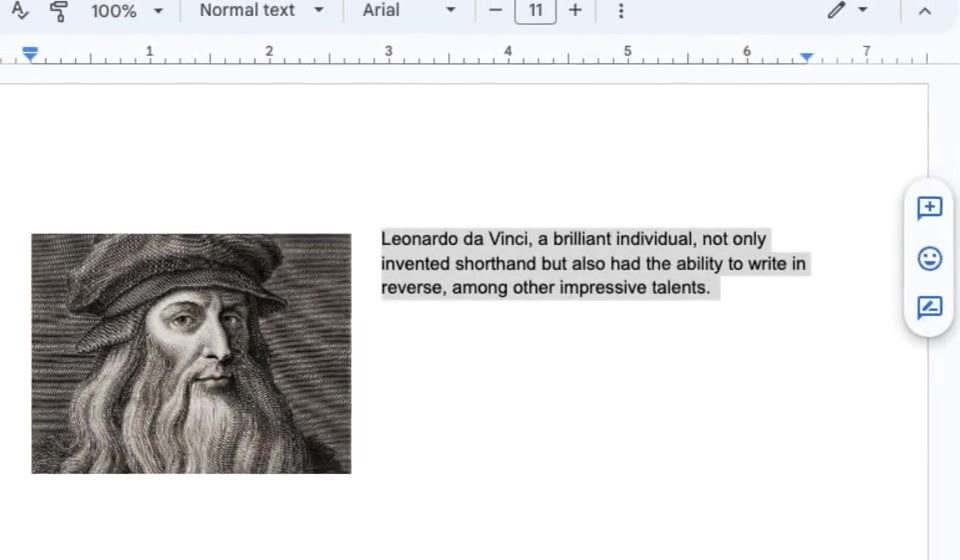 How to paraphrase in Google DocsThree ways to reword a sentence or paragraph without leaving your document, with a real before and after.
 How to change the tone of your writing in Google DocsMake a paragraph more formal, more casual or friendlier, with example rewrites and a quick checklist.
Questions
Something else? Get in touch.
Does WriteMate work with my Google account?
Yes. It works with personal Google accounts and Google Workspace accounts. On a work or school account, your admin may need to allow add-ons first.
Is my writing stored or used to train AI?
No. The text you send to WriteMate is never stored, shared or sold, and it isn't used to train AI models. The only personal data we keep is your email address, which we use to track your credits. See our Privacy Policy.
How do I cancel, and can I get a refund?
Cancel anytime from the billing portal and you won't be charged again. If you're not happy with WriteMate, we'll refund your last monthly payment, no questions asked.
Can I share my subscription?
Each subscription is for one person. For a team license, contact us.
Is payment secure?
Yes. Payments go through Stripe, which is certified to PCI Service Provider Level 1. We never see or store your card details.
Can I get an invoice?
Yes. Download invoices anytime from the billing portal.